
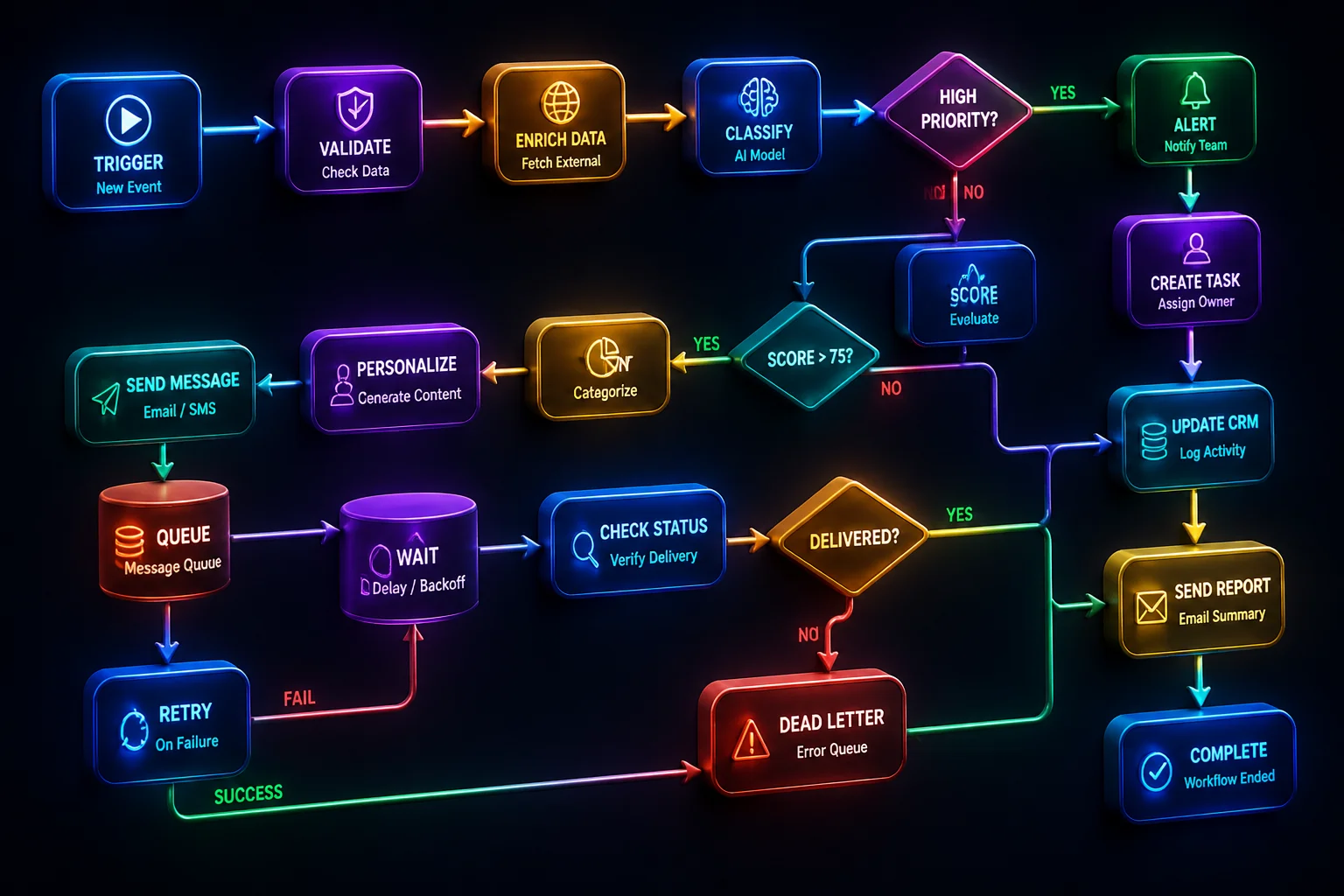
Core Concepts of Multi-Step Browser Routines
Modern browser agents fail most frequently when tasks require serial decisions spanning several page transitions. Simple single-prompt execution often crumbles when an authentication modal pops up unexpectedly or an asynchronous table takes four seconds to hydrate. Building multi-step workflows in Comet Browser requires treating web pages as observable state machines rather than static document snapshots.
Comet Browser addresses this vulnerability by separating the raw browser DOM from the agent execution layer. Instead of piping raw HTML dumps directly into model prompts, the engine compresses target views into semantically indexed action graphs. Each actionable control receives a deterministic locator token, ensuring subsequent clicks and keyboard injections land precisely on intended targets.
Explore Agent Tooling Guides
Examine complete implementation patterns, prompt recipes, and state machine blueprints across our tutorial library.
Pipeline Architecture & DOM State Graph
Constructing a dependable workflow inside Comet starts with structuring a declarative sequence plan. The workflow manager decomposes the high-level intent into atomic objectives: locating inventory entries, extracting invoice records, and submitting approvals through distinct verification checkpoints.
- Semantic Tree Pruning: Comet strips inline styling and decorative elements to compress context windows down to four percent of baseline payload size.
- Deterministic Action Pinning: UI elements retain dynamic bindings across re-renders, preventing missed clicks caused by background component updates.
- Context-Aware Memory Caching: Prior step outcomes feed structured parameters directly forward without re-reading completed form fields.
Decouple Observation from Decision
Let Comet’s engine monitor DOM settlement before calling your model. Firing actions mid-hydration causes ninety percent of agent misfires.
Persist State Off-Canvas
Store task checkpoints in lightweight key-value stores rather than trusting the active browser session history to remain intact.
Resilient Step Execution & Rollbacks
Long chains of web actions encounter transient network dips, unpredictable captcha prompts, or unannounced layout tweaks. In Comet Browser, every step is wrapped inside an atomic transaction. When a multi-field submission fails validation, the workflow halts execution and evaluates fallback recovery nodes before touching global state.
Benchmarks & Production Hardening
Benchmarked across five hundred enterprise ERP navigation tasks, workflows constructed with Comet’s state engine achieved a ninety-four percent completion rate, compared to sixty-one percent for unguided script injections. Standardizing your multi-step pipelines around explicit state boundaries turns browser automation into a predictable, testable infrastructure layer.